Testing External API Connectivity from a ServiceNow MID Server
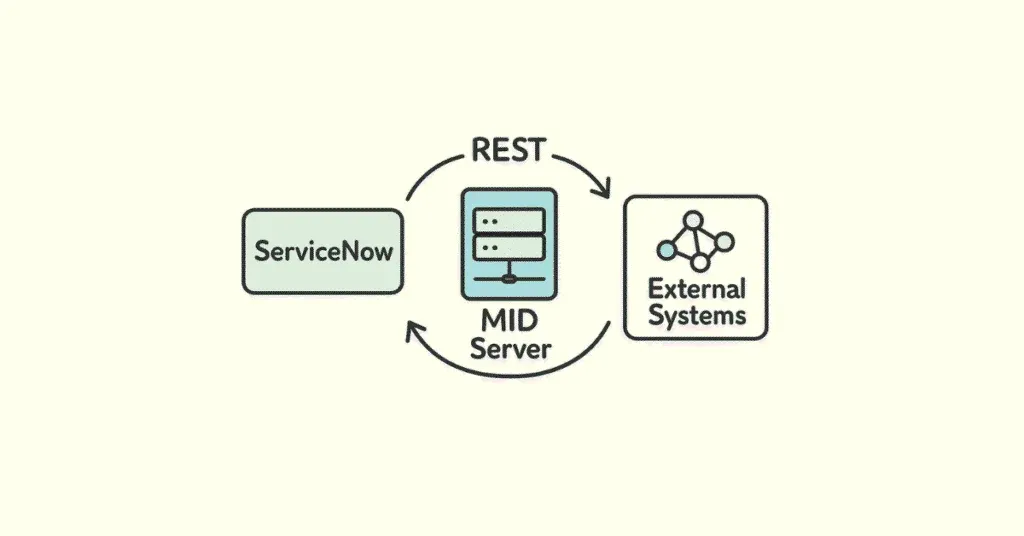
When integrating ServiceNow with external platforms, one of the first questions is usually simple: can ServiceNow actually reach the endpoint?
In practice, that question can be more nuanced than it sounds. Is the call being made directly from the ServiceNow instance? Is it routed through a MID Server? Is the failure caused by DNS, firewall rules, proxy configuration, TLS inspection, or authentication?
This post walks through a simple way to test outbound connectivity from ServiceNow to an external OAuth endpoint using a native Background Script.
The Scenario
I needed to confirm whether a ServiceNow MID Server could reach Apple’s OAuth token endpoint:
https://account.apple.com/auth/oauth2/v2/tokenThis endpoint expects a valid OAuth token request, so a successful connectivity test will not necessarily return HTTP 200. In fact, for a basic test request, responses like 400, 401, or 403 can be perfectly useful because they prove that the request reached Apple and Apple responded.
For reachability testing, an authentication failure can still be a network success.
Why Test from ServiceNow?
It is common to test connectivity directly from the MID Server host using tools like PowerShell, curl, or OpenSSL. That is useful, but it does not always prove that ServiceNow itself can execute the same call through the MID Server framework.
By using a ServiceNow Background Script, we can test the outbound REST path in a way that is much closer to how the real integration will run.
The key distinction is this:
- A standard Background Script tests connectivity from the ServiceNow instance.
-
A Background Script using
setMIDServer()tests connectivity through a specific MID Server.
The Background Script
The following script can be executed from System Definition > Scripts - Background.
Update the midServerName variable if you want to route the request through a specific MID Server.
(function testAppleOAuthTokenEndpoint() {
    var endpoint = 'https://account.apple.com/auth/oauth2/v2/token';

    /*
     * Set this to the MID Server name if you want the call to execute via MID.
     *
     * Example:
     * var midServerName = 'MID_SERVER_PROD_01';
     *
     * Leave blank/null to test direct connectivity from the ServiceNow instance.
     */
    var midServerName = '';

    /*
     * Apple will reject this because it is not a complete OAuth request.
     * That is fine. For a reachability test, HTTP 400, 401, or 403 means:
     * DNS, TCP 443, TLS, and HTTP all worked.
     */
    var expectedReachableStatusCodes = [400, 401, 403];

    try {
        gs.print('Testing Apple OAuth token endpoint');
        gs.print('Endpoint: ' + endpoint);

        if (midServerName) {
            gs.print('Mode: Via MID Server');
            gs.print('MID Server: ' + midServerName);
        } else {
            gs.print('Mode: Direct from ServiceNow instance');
        }

        var request = new sn_ws.RESTMessageV2();
        request.setEndpoint(endpoint);
        request.setHttpMethod('POST');

        request.setRequestHeader('Content-Type', 'application/x-www-form-urlencoded');
        request.setRequestHeader('Accept', 'application/json');

        /*
         * This intentionally sends an incomplete token request.
         * We only care whether Apple responds.
         */
        request.setRequestBody('grant_type=client_credentials');

        /*
         * Keep timeout short for a background connectivity test.
         * Value is milliseconds.
         */
        request.setHttpTimeout(30000);

        /*
         * Route through MID Server if specified.
         */
        if (midServerName) {
            request.setMIDServer(midServerName);
        }

        var response = request.execute();
        var statusCode = response.getStatusCode();
        var responseBody = response.getBody();

        gs.print('HTTP status code: ' + statusCode);

        if (expectedReachableStatusCodes.indexOf(statusCode) > -1) {
            gs.print('RESULT: Reachability OK');
            gs.print('Apple returned an expected OAuth rejection, which confirms the endpoint was reached.');
        } else if (statusCode >= 200 && statusCode < 500) {
            gs.print('RESULT: Reachability OK, but response was not one of the expected test statuses.');
        } else {
            gs.print('RESULT: Reachability uncertain or failed');
        }

        if (responseBody) {
            gs.print('Response body, first 1000 chars:');
            gs.print(responseBody.substring(0, 1000));
        }

    } catch (ex) {
        gs.print('RESULT: Request failed before receiving a usable HTTP response');

        if (ex && ex.getMessage) {
            gs.print('Error: ' + ex.getMessage());
        } else {
            gs.print('Error: ' + ex);
        }

        gs.print('Likely causes: DNS failure, firewall/proxy block, TLS interception/certificate trust issue, MID Server down, or MID Server not selected correctly.');
    }
})();
Testing Through the MID Server
To test from a MID Server, set the midServerName variable to the exact MID Server name from
your instance.
var midServerName = 'MID_SERVER_PROD_01';When this value is populated, ServiceNow attempts to route the outbound REST request through that MID Server. This makes the test much more representative of integrations that are expected to run from the customer network rather than directly from the ServiceNow instance.
Expected Result
A successful reachability test may look something like this:
Testing Apple OAuth token endpoint
Endpoint: https://account.apple.com/auth/oauth2/v2/token
Mode: Via MID Server
MID Server: MID_SERVER_PROD_01
HTTP status code: 400
RESULT: Reachability OK
Apple returned an expected OAuth rejection, which confirms the endpoint was reached.
The important part is not that Apple accepted the request. The important part is that the MID Server was able to reach Apple and receive a meaningful HTTP response.
How to Interpret the Result
| Status or Error | Meaning |
|---|---|
400, 401, or 403 |
The endpoint was reached. Apple rejected the test request as expected. |
200 |
Reachability succeeded, although this would be unusual for an incomplete OAuth token request. |
| Timeout | Possible firewall, routing, proxy, or outbound access issue. |
| Certificate or TLS error | Possible TLS inspection, trust store, or certificate chain issue. |
| MID Server error | The MID Server may be down, misnamed, unavailable, or unable to process the request. |
Common MID Server Gotchas
If the test works directly from the instance but fails through the MID Server, focus your troubleshooting on the network path from the MID Server host.
- Confirm the MID Server can resolve
account.apple.com. - Confirm outbound TCP 443 is allowed.
- Check whether the MID Server requires a proxy.
- Validate that the MID Server service account has the correct proxy access.
- Review TLS inspection and certificate trust configuration.
- Check the MID Server logs for ECC queue or REST execution errors.
One of the most common traps is testing successfully as an interactive user on the MID Server host while the actual MID Server Windows service runs under a different account with different proxy or network permissions.
Why This Pattern Is Useful
This approach is not limited to Apple. You can reuse the same pattern for almost any external API endpoint. It is especially helpful during early integration discovery, firewall validation, proxy troubleshooting, and production readiness checks.
The main idea is simple:
Do not wait until the full integration is built to discover that the network path does not work.
A lightweight Background Script can quickly prove whether ServiceNow, or a specific MID Server, can reach the target endpoint before deeper authentication and payload logic is added.
Final Thoughts
Connectivity testing is not glamorous, but it is one of the fastest ways to de-risk an integration. By testing from inside ServiceNow and optionally routing through a MID Server, you get a much more realistic view of how the final integration will behave.
For OAuth endpoints, remember that a failed authentication response is not always bad news. Sometimes a
400 or 401 is exactly what you want to see because it means the endpoint is alive,
reachable, and responding.
Build the habit of testing connectivity early, documenting the result, and separating network problems from authentication problems. Your future integration projects will thank you.