Configuring Multi-Step Approvals in ServiceNow during the Change Assess Stage
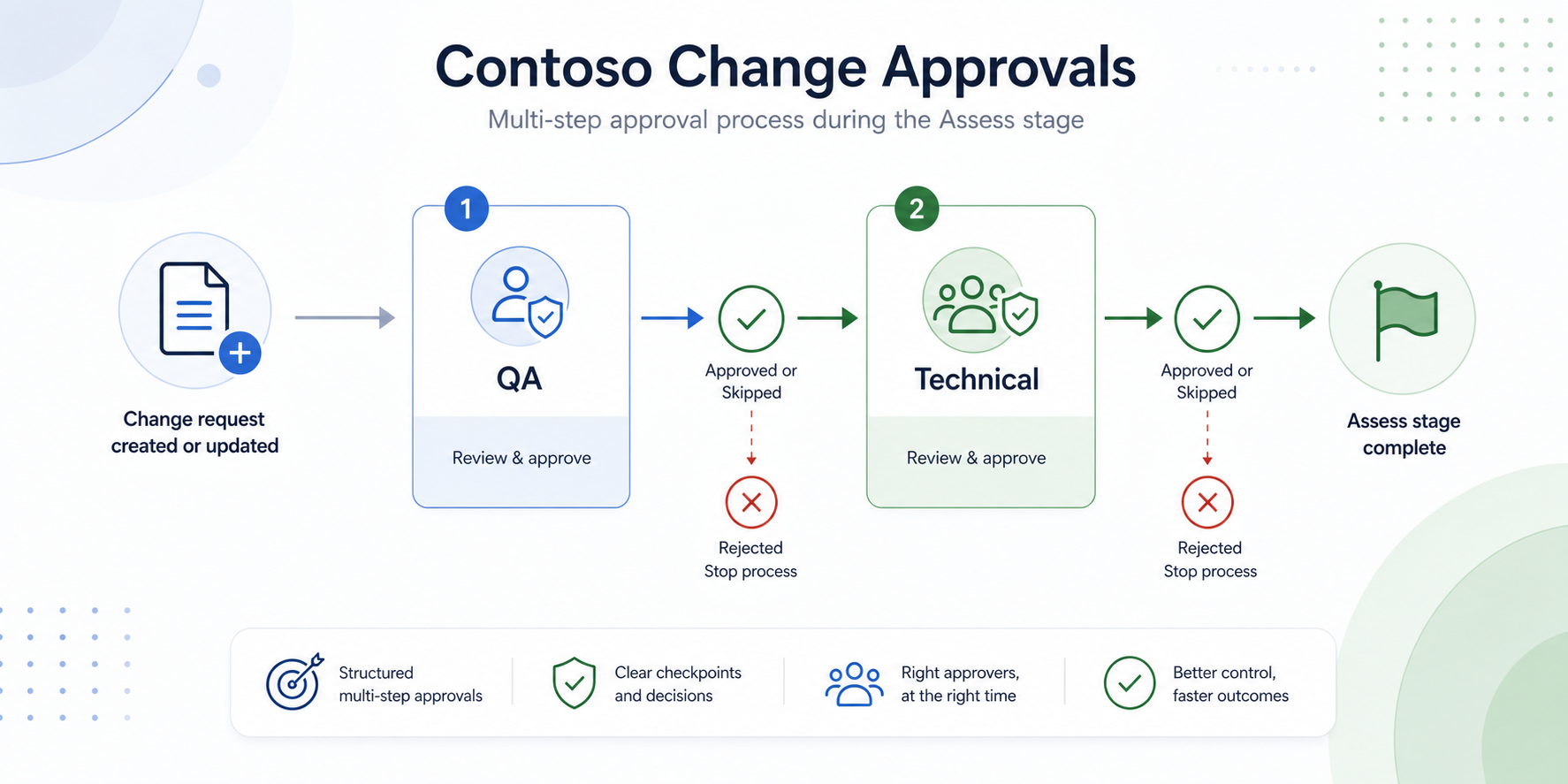
This article describes how to configure a multi-step approval process for normal changes during the Assess stage in ServiceNow Change Management. The pattern uses a single Change Approval Policy that is called more than once from Workflow Studio, with a policy input controlling which approval decisions are evaluated at each step.
Overview
The example flow is named Custom - Change - Normal - Assess. It runs when a change request is created or updated and meets these conditions:
- Change model is Normal
- State is Assess
- On hold is false
- Company is marked as migrated
The approval process is split into two main Assess-stage checks:
- QA check
- Technical check
Both checks use the same approval policy, Custom Normal Change Policy, but pass different input values so the policy knows which approval rules to apply.
Approval Policy Setup
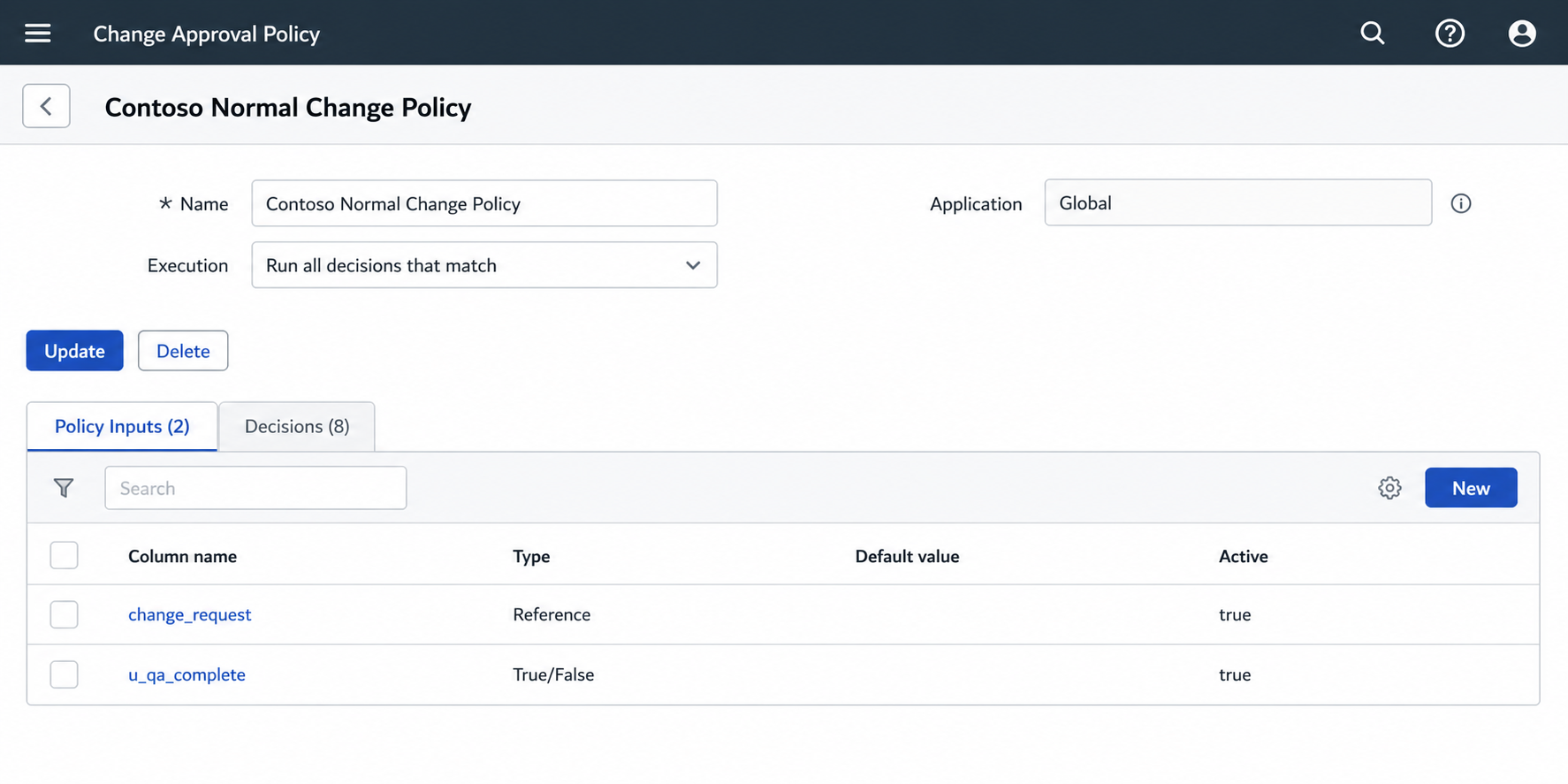
The approval policy is configured as:
- Name: Custom Normal Change Policy
- Execution: Run all decisions that match
- Application: Global
The policy has two inputs:
| Input | Type | Purpose |
|---|---|---|
change_request |
Reference | The change request being assessed |
u_qa_complete |
True/False | Controls whether the policy is evaluating the QA step or the technical step |
The key item here is u_qa_complete. This allows us to store variable data during the lifecycle of the policies execution without having to rely on custom columns on the change table. This could easily be swapped for something like u_stage_count if needing to handle multiple stage approvals within a given policy. But for our example we will keep things simpler.
Decision Table
The policy contains multiple decision rows. The Assess-stage examples include:
| Order | Label | Purpose |
|---|---|---|
| 50 | (Assess) Quality Review |
Requests the initial Change Management / QA approval |
| 100 | (Assess) Technical CI support |
Requests approval from the Configuration Item support group |
| 200 | (Assess) Technical Business Service |
Requests approval from the Business Service support group |
| 300 | (Assess) Technical Assignment group |
Requests approval from the Change Request assignment group |
Additional Authorise-stage approvals are also present in the same policy, such as CAB approval, CI approval group, Business Service approval group, and Change Management approval.
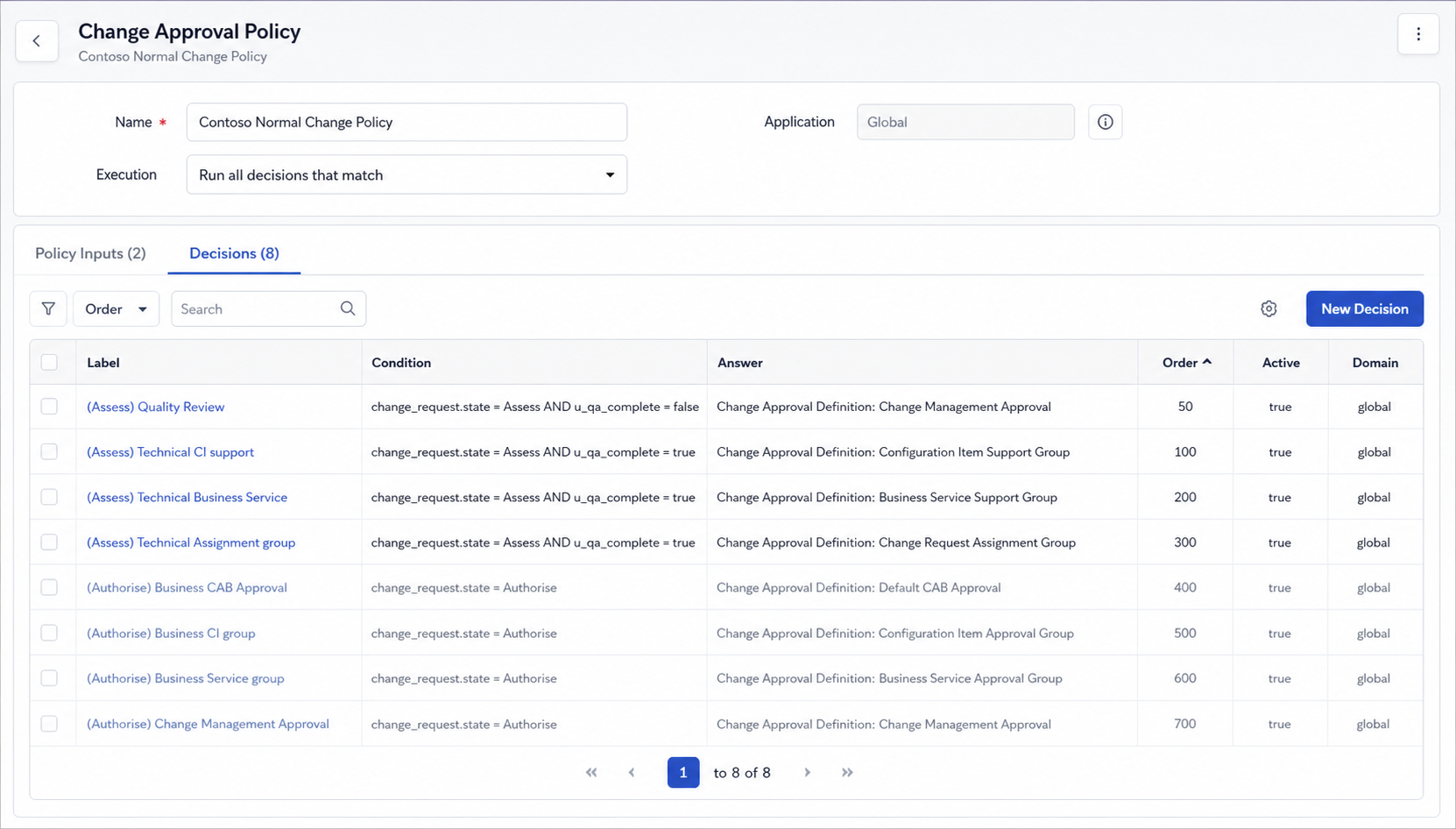
Each decision row uses conditions against the change_request input, and where needed, the u_qa_complete input. This allows the same policy to support different approval stages without creating separate policies.
Workflow Studio Configuration
In Workflow Studio, add an Apply Change Approval Policy action for the first approval step.
Step 1: QA Check
Configure the action as follows:
- Action: Apply Change Approval Policy
- Action label: QA check
- Policy: Custom Normal Change Policy
- Change Request: Trigger → Change Request
- QA Complete: unchecked / false
- Due Date: None
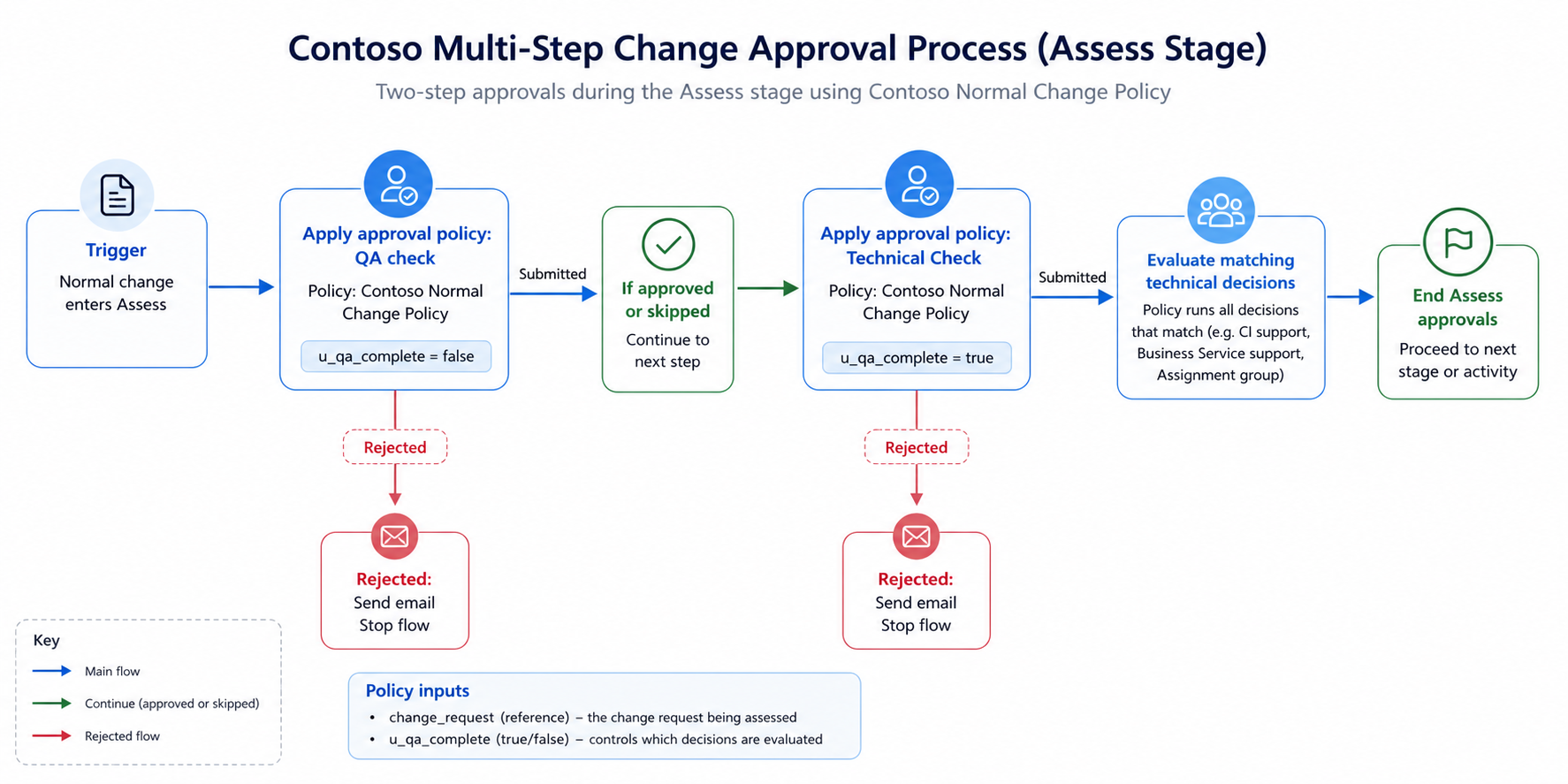
This runs the policy in its initial Assess-stage mode. The policy can then match the QA-related decision rows, such as (Assess) Quality Review.
If the approval policy is skipped, the flow updates the change request and marks it approved. If it is rejected, the flow sends an email notification.
Step 2: Technical Check
Add a second Apply Change Approval Policy action later in the flow.
Configure it as:
- Action: Apply Change Approval Policy
- Action label: Technical Check
- Policy: Custom Normal Change Policy
- Change Request: Trigger → Change Request
- QA Complete: checked / true
- Due Date: None
This second call uses the same policy, but because QA Complete is now true, the technical approval decisions can match. These may include approvals from the CI support group, Business Service support group, and Assignment group.
As with the QA step, the flow handles skipped and rejected outcomes separately.
Why This Design Works
This approach keeps approval logic centralised in one Change Approval Policy while still allowing the workflow to run approvals in sequence. The flow controls when the policy is applied, and the policy input controls which decision rows are eligible at that point.
The result is a flexible multi-step approval process:
- QA approval runs first.
- Technical approvals run only after the QA step is complete.
- Multiple technical approvals can be generated together.
- Skipped and rejected outcomes are handled explicitly.
- The same policy can also support later Authorise-stage approvals.
- No custom fields required on the change table.
Summary
To configure multi-step approvals during the Assess stage, create a Change Approval Policy with reusable inputs, then call that policy multiple times from Workflow Studio. Use a Boolean input such as u_qa_complete to separate the first QA approval from later technical approvals. This gives you a clean, maintainable approval model without duplicating policy logic.