Filtering MRVS Reference Variables Using a Parent Catalog Item Variable
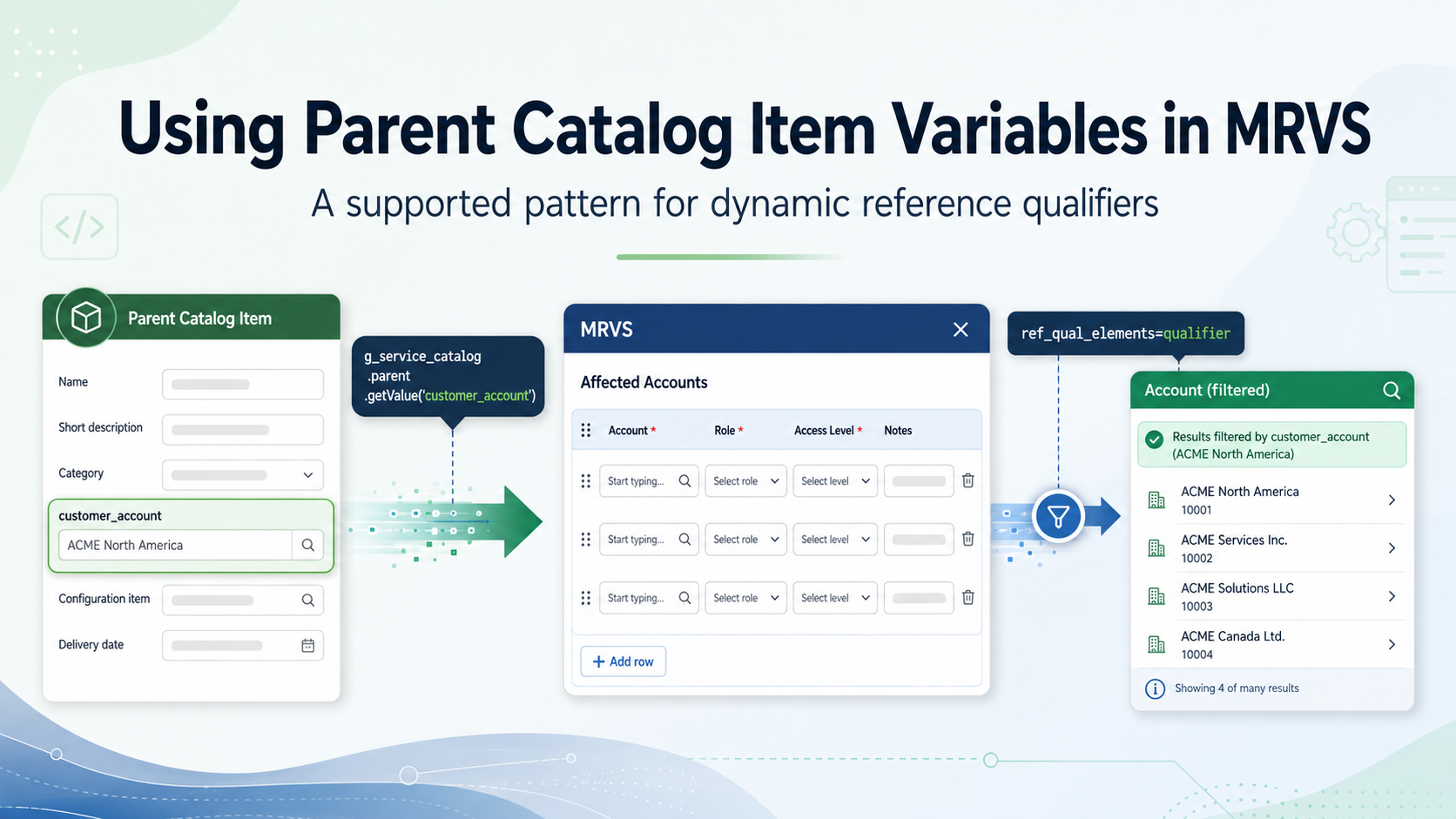
Multi-Row Variable Sets are a powerful way to capture repeatable data in ServiceNow catalog items, but they come with an important limitation that is easy to overlook.
Variables inside a Multi-Row Variable Set do not share the same direct variable context as the parent Catalog Item.
That means if you have a variable on the main Catalog Item, such as customer_account, you cannot reliably reference it directly from a reference qualifier inside the MRVS.
The problem
Imagine a Catalog Item with a variable called customer_account.
Inside the Multi-Row Variable Set, there is a reference variable that needs to be filtered based on the account selected on the parent item.
A first attempt might be to write an advanced reference qualifier like this:
javascript:'active=true^company=' + current.variables.customer_account;
On the surface, this looks like it should work.
The problem is that current.variables.customer_account is looking for a variable in the current variable context. When the qualifier runs inside the MRVS, that context is the MRVS row, not the parent Catalog Item.
Because customer_account lives outside the MRVS, the reference qualifier cannot reliably access it directly.
Why this matters
This is not just a scripting inconvenience. It is a context boundary.
The parent Catalog Item and the Multi-Row Variable Set are related, but they are not evaluated as one flat set of variables. The MRVS behaves more like a nested data structure, where each row has its own variables.
So, while a user may see everything on the same catalog form, the scripts do not all run with the same access to every variable.
This becomes especially important when building dynamic reference qualifiers.
If the reference field inside the MRVS needs to react to a parent Catalog Item value, that parent value needs to be passed into a place the qualifier can access.
The clean solution
A clean way to solve this is to store the parent variable value in the user session when the MRVS loads, then read that session value from the reference qualifier.
This avoids the need to create hidden helper variables inside the MRVS.
That is useful because hidden MRVS variables can sometimes still appear in the MRVS row summary or become part of the row data. By using session client data instead, the value stays in the background.
The pattern is:
- Read the parent Catalog Item variable from the MRVS client script.
- Pass the value to a client-callable Script Include using GlideAjax.
- Store the value in the user session.
- Read the session value from the MRVS reference qualifier.
Step 1: Use an MRVS Catalog Client Script
Create an onLoad Catalog Client Script on the Multi-Row Variable Set.
This script reads the parent customer_account value using g_service_catalog.parent.getValue() and sends it to a Script Include.
function onLoad() {
var account = g_service_catalog.parent.getValue('customer_account');

if (!account) {
    return;
}

var ga = new GlideAjax('AccountSession');
ga.addParam('sysparm_name', 'setSessionAccount');
ga.addParam('sysparm_account', account);
ga.getXMLAnswer(function(answer) {
    // No response handling required.
});

}
The key line is:
g_service_catalog.parent.getValue('customer_account');
This is what allows the MRVS client script to read the value from the parent Catalog Item.
Step 2: Create a client-callable Script Include
Create a Script Include called AccountSession.
Make sure it is marked as Client callable.
var AccountSession = Class.create();
AccountSession.prototype = Object.extendsObject(global.AbstractAjaxProcessor, {

    setSessionAccount: function() {
        var account = this.getParameter('sysparm_account');

        var session = gs.getSession();
        session.putClientData('account', account);

        return session.getClientData('account');
    },

    type: 'AccountSession'
});
This stores the selected account in the user session using the key mrvs_customer_account.
Using a specific key name is important. Avoid very generic names like account, especially if the pattern could be reused elsewhere.
Step 3: Use the session value in the reference qualifier
On the reference variable inside the MRVS, use an advanced reference qualifier that reads from the session.
javascript:'active=true^company=' + session.getClientData('account')
This gives the server-side reference qualifier access to the value originally selected on the parent Catalog Item, without directly referencing the parent variable.
Why this approach is cleaner
The main benefit is that no helper variable is needed inside the MRVS.
That means:
- No hidden field added to the MRVS row data
- No unwanted helper column in the MRVS summary
- No need to use ref_qual_elements for a helper variable
- The reference qualifier can still run server-side
- The user experience stays clean
It also keeps the logic easier to reason about. The parent value is read once when the MRVS loads, stored in the session, and then consumed by the reference qualifier.
Important considerations
Because this solution uses session client data, the value is scoped to the user session.
That works well for a catalog item interaction, but the session key should be specific enough to avoid accidental collisions with other scripts.
For example, this is too generic:
account
This is better:
mrvs_customer_account
This is even better if the logic is specific to a particular catalog item or use case:
new_user_access_mrvs_customer_account
Also consider what should happen if the parent variable changes after the user has already opened or added MRVS rows. In most cases, users select the parent value first, then add MRVS rows. If your process allows the parent account to be changed later, you may need to clear existing MRVS rows or revalidate them before submission.
Testing checklist
Test the following scenarios:
- Open the Catalog Item and select a customer_account.
- Open the MRVS and add a new row.
- Confirm the reference variable is filtered by the selected account.
- Change the customer_account value and open the MRVS again.
- Confirm the reference qualifier uses the updated account.
- Test with no customer_account selected.
- Confirm the fallback query behaves as expected.
- Confirm no helper variable appears in the MRVS row summary.
Conclusion
You cannot reliably reference a parent Catalog Item variable directly from a reference qualifier inside a Multi-Row Variable Set.
The MRVS has its own variable context, so current.variables.customer_account will not behave as expected when customer_account exists outside the MRVS.
A cleaner solution is to use g_service_catalog.parent.getValue() in an MRVS Catalog Client Script, pass the value to a client-callable Script Include with GlideAjax, store it in the user session, and then retrieve it from the reference qualifier using session.getClientData().
This keeps the implementation clean, avoids unnecessary helper variables in the MRVS, and provides a reliable way to make MRVS reference fields respond to values selected on the parent Catalog Item.